Quote to cash
HVAC estimate-to-invoice workflow software
TuffOps keeps quote, approval, unit, work order, invoice, tax, and payment status connected so your office is not rebuilding the same HVAC job at every handoff.
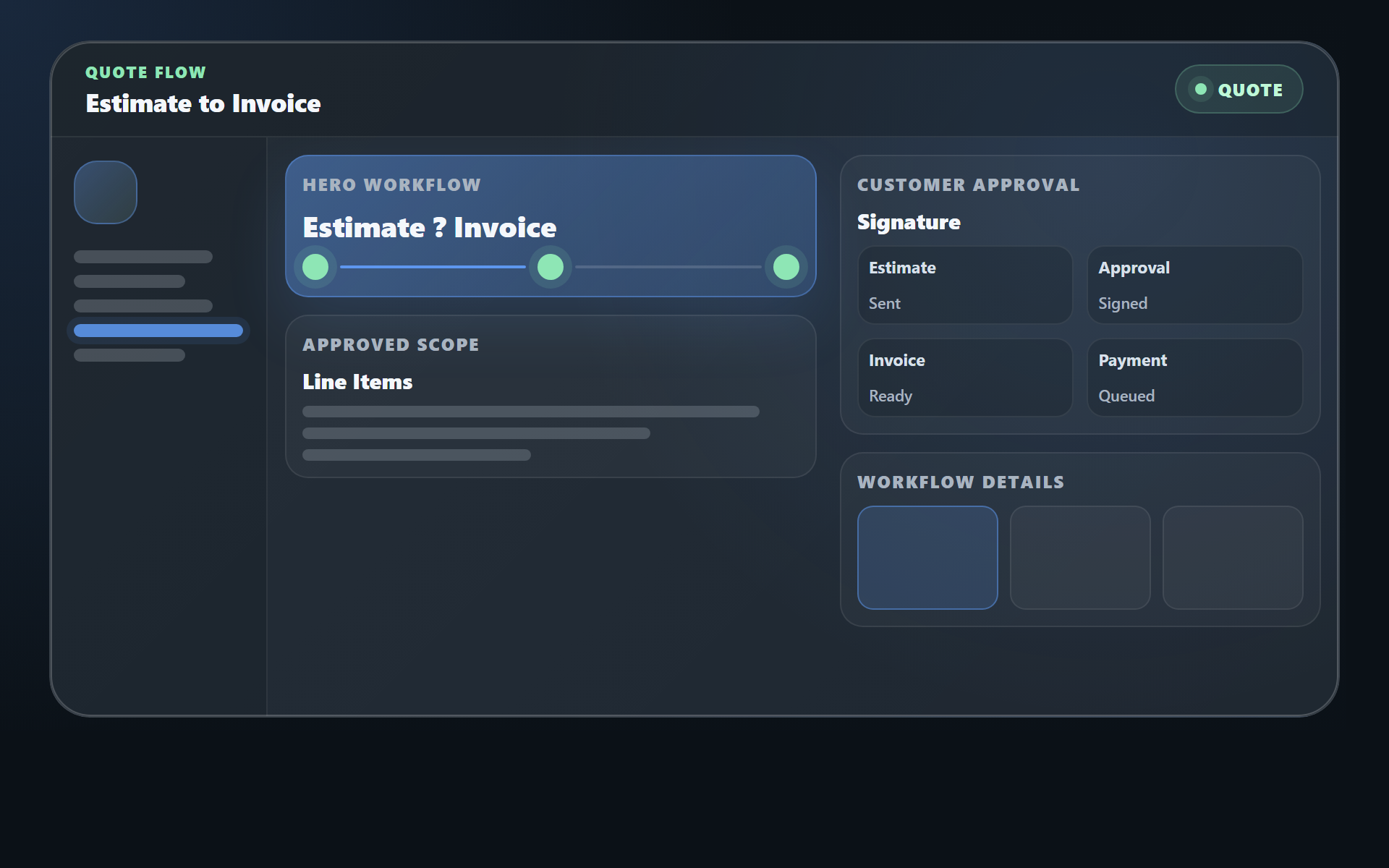
Stop rebuilding the same job after the customer says yes
The quote is not the finish line. In many HVAC shops, approval starts a second round of office work: create the work order, copy the unit details, split line items across installs, rebuild the invoice, calculate tax, and then track whether the customer paid.
What happens in disconnected tools
- Estimate approval lives in an email, PDF, or sales tool.
- Dispatch manually creates the work order from the quote.
- Line items and unit notes get copied, summarized, or lost.
- Invoice status is tracked away from the job record.
What TuffOps keeps connected
- Quotation statuses move from pending to review, submitted, accepted, rejected, fulfilled, or cancelled.
- Accepted quotations can convert into work orders only after customer approval.
- Unit models, location notes, customer requests, quantities, custom items, and prices carry into the work order.
- Invoices stay tied to completed or billed work orders with sent, paid, and cancelled states.
Result: the approved scope stays connected to the operational job instead of becoming another hand-built record.
HVAC estimating software that carries work into invoices
Quote
Create an HVAC quotation with customer, request, address, unit, line item, discount, and tax context.
Approve
Send the quote by email or WhatsApp and capture the customer's accept or reject response on the public quote link.
Convert
Turn accepted quotes into installation, repair, maintenance, service, or other work orders with the approved items attached.
Schedule
Assign technicians, due dates, duration, customer confirmation, and status history from the work order record.
Complete
Capture job progress through ongoing, waiting approval, completed, and billed work order states.
Invoice
Create invoices from completed or billed work orders, including unit price, item subtotal, tax, total, and payment status.
Connected workflow
The approved estimate becomes operational work
TuffOps is built around a chain of records: quotation, customer approval, work order, work order items, invoice, and invoice status. Each step has enough structure for the office to see what happened and what is still open.
Submit
Quote goes to the customer.
Accept
Customer response is recorded.
Convert
Approved scope becomes work.
Invoice
Completed work is billed.
Evidence from the TuffOps workflow
This page is grounded in the way TuffOps actually models HVAC work. Quotes, work orders, work order items, invoices, and payment status are connected records, not just marketing labels.
- Status
- Pending, submitted, accepted, fulfilled
- Scope
- Requests, units, items, quantities
- Pricing
- Unit costs, item costs, discount, tax
- Delivery
- Email and WhatsApp notification record
The quotation must be accepted and must contain at least one unit.
The quotation is marked fulfilled and each created work order receives a status-history note.
Invoices are created only for completed or billed work orders, and TuffOps blocks a second active invoice for the same work order.
- Generated invoice numbers with prefix, year, and sequence
- Sent, paid, and cancelled invoice statuses
- Card, cash, PayPal, email, WhatsApp, and SMS settings
Why this matters for HVAC quote-to-cash
HVAC estimates often contain the details that make or break the job: the exact equipment, the customer's request, unit location notes, replacement materials, quantities, and tax. When those details are copied into a separate dispatch or billing process, small mistakes can turn into truck-roll confusion or invoice cleanup.
For the office
Fewer copy-and-paste steps between estimate, work order, and invoice.
For dispatch
Approved work is visible before the technician is assigned or scheduled.
For billing
Invoice totals are tied back to the completed work order and its item subtotal.
When a job starts from a QR code service request or customer portal request, the same context can continue into the estimate-to-invoice workflow.
Built for single-unit and multi-unit jobs
Replacement and installation quotes are rarely one-size-fits-all. TuffOps supports quotes with one or more units and lets the office distribute quoted item quantities across multiple units when the approved work becomes work orders.
| Job shape | What needs to stay attached | How TuffOps helps |
|---|---|---|
| Single unit | Approved model, customer request, work type, line items, tax, and price. | Convert the accepted quotation into one work order with the quoted items attached. |
| Multi-unit install | Which materials and quantities belong to each unit. | Distribute quoted item quantities across units before creating the work orders. |
| Completed work | Unit subtotal, item subtotal, tax, invoice URL, and payment state. | Create an invoice from a completed or billed work order and keep it linked to the job. |
Who needs HVAC estimate-to-invoice software
This workflow fits HVAC shops that already quote work but still lose time after approval because the estimate does not naturally become scheduled, completed, and billed work.
Owners
Want clearer quote-to-cash visibility without checking several systems.
Office teams
Need fewer duplicate records after a customer accepts a quote.
Dispatchers
Need approved scope, unit context, and work type before scheduling.
Billing teams
Need invoice totals and payment status tied back to completed work.
Estimate workflow questions
Can an approved HVAC estimate become a work order?
Yes. TuffOps allows accepted quotations to convert into work orders. The conversion carries the customer, unit, customer request, work type, and quoted line-item context into the work order.
Does this reduce retyping between estimating and dispatch?
Yes. Quote units, customer requests, custom items, catalog items, quantities, and costs can move into work orders instead of being copied into a new dispatch record by hand.
Can customers approve or reject quotes online?
Yes. TuffOps has a public quotation page where submitted quotes can be accepted or rejected. The response updates the quote status and records the reply time.
When can an invoice be created?
TuffOps creates invoices from completed or billed work orders. It also checks for an existing active invoice so the same work order is not accidentally billed twice.
How do payments fit into the workflow?
Invoices can track sent, paid, and cancelled status. TuffOps invoice settings support card, cash, PayPal, email, WhatsApp, and SMS options, depending on how the shop configures payment collection.